
Antecedentes del problema: las políticas de privacidad del navegador Edge impiden el funcionamiento de la herramienta de consulta E+H
El navegador Microsoft Edge integra las ventajas de Chrome y es compatible con el modo IE, convirtiéndose en la primera opción para oficinas. Sin embargo, la nueva versión de Edge ha realizado muchas modificaciones en las políticas de privacidad, lo que impide que las cookies de terceros accedan directamente al sitio web original.
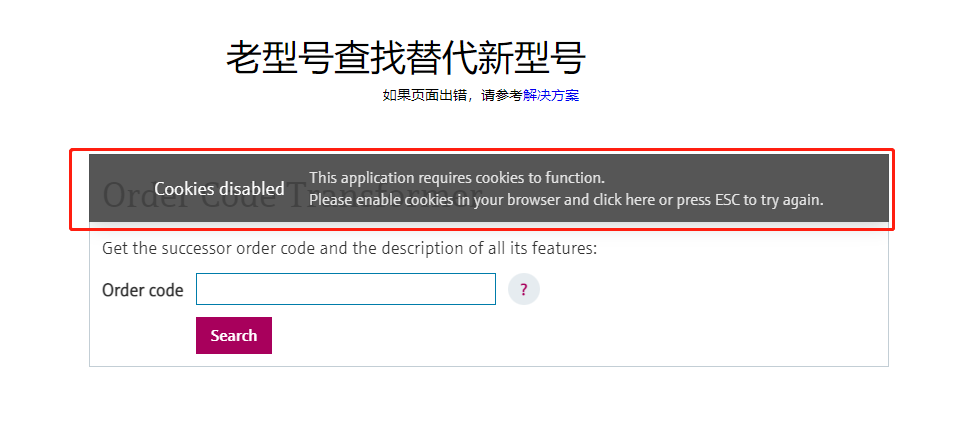
Esto causa directamente que la herramienta de consulta de modelos alternativos E+H de este sitio no pueda funcionar directamente en el navegador Edge, y los usuarios necesitan abrir IE por separado para realizar consultas. La siguiente imagen muestra el estado anómalo de esta herramienta en Edge:
Solución: usar el modo de compatibilidad con IE integrado en Edge
A través del modo de compatibilidad con IE del navegador Edge se puede resolver temporalmente este problema. Este modo permite que los sitios web se carguen en el entorno de Internet Explorer, evitando así las restricciones de las políticas de privacidad.
Pasos de configuración
- En la barra de direcciones del navegador, introduzca:
edge://settings/defaultBrowser, y establezca "Permitir que los sitios se vuelvan a cargar en el modo Internet Explorer" en Permitir. - Añada la URL
https://www.ainstru.com/alternativea la lista de sitios en modo IE, consulte la siguiente imagen para la operación específica:
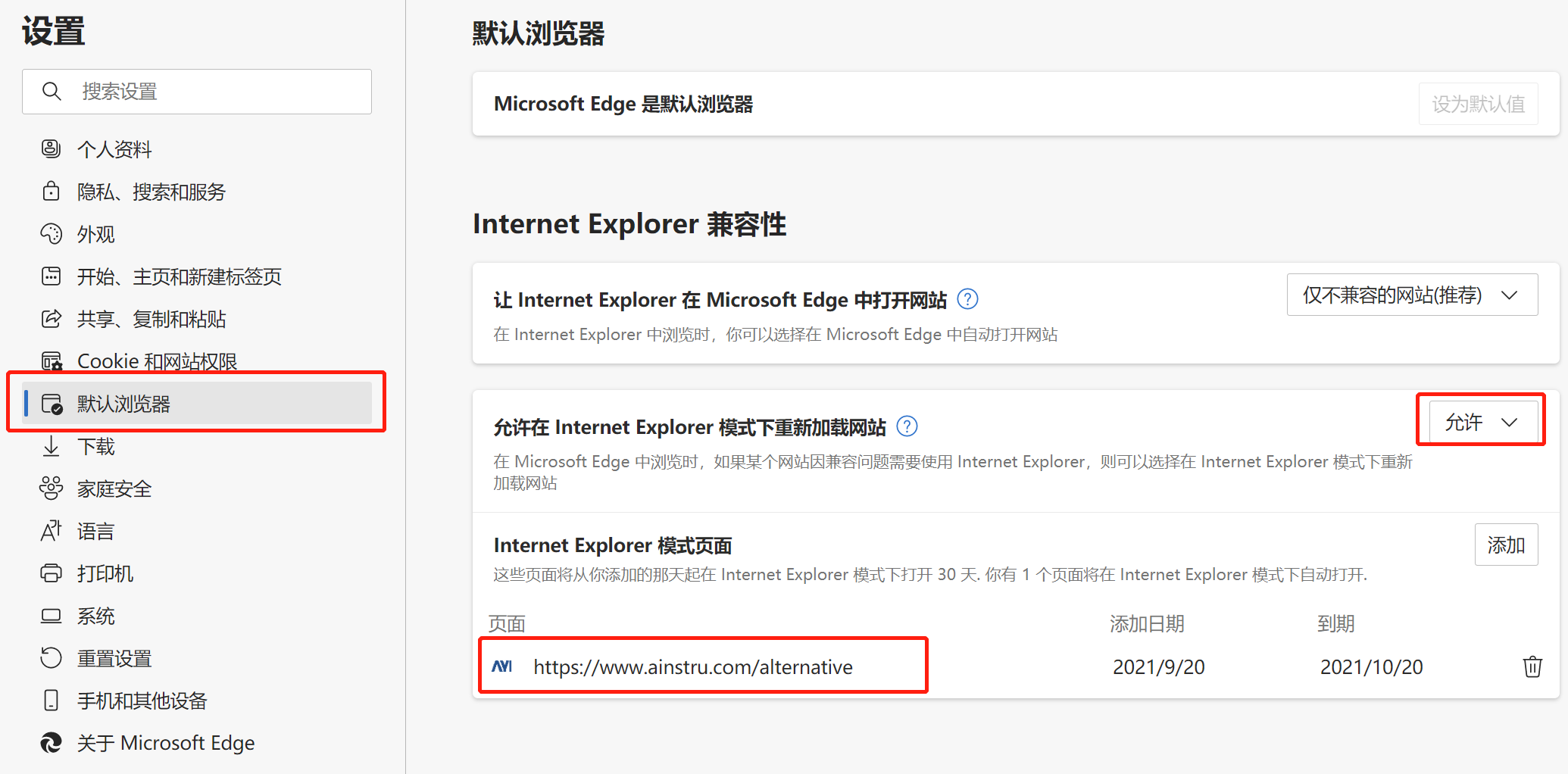
- Después de completar la configuración, reinicie el navegador.
Nota: Esta configuración es válida durante 30 días, y debe reconfigurarse cada 30 días. Por el momento no hay una solución definitiva.
Verificar el efecto de la configuración
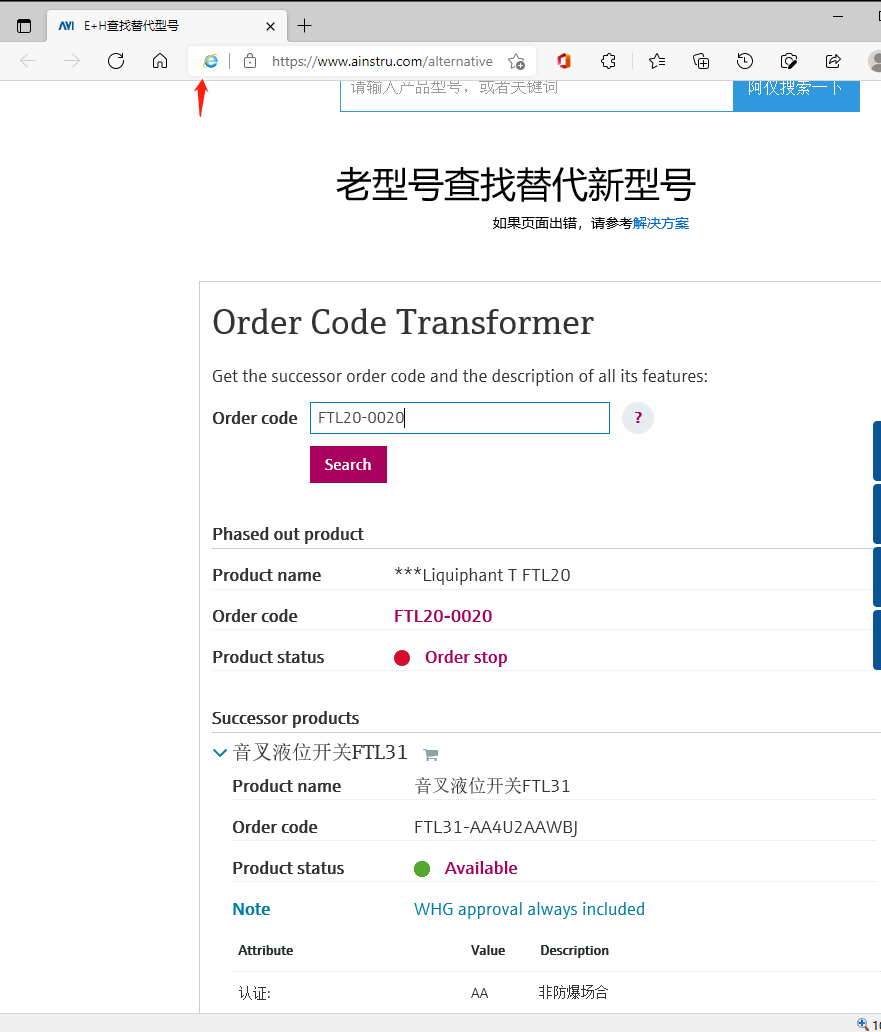
Vuelva a acceder a la herramienta de consulta de modelos alternativos E+H y funcionará correctamente. En este momento, la barra de direcciones mostrará el icono de IE, lo que indica que la página actual se ejecuta en modo IE, como se muestra en la siguiente imagen:
Aplicación extendida: otros sitios web que requieren modo IE
Este método también es aplicable a algunos sitios web de bancos, instituciones gubernamentales, etc., que generalmente solo se adaptan al modo IE y no son compatibles con el núcleo de Chrome. A través del modo de compatibilidad con IE de Edge, se puede acceder de manera unificada en Edge sin necesidad de cambiar de navegador.
Resumen
- Problema central: las políticas de privacidad de Edge bloquean las cookies de terceros, lo que impide el funcionamiento de la herramienta de consulta E+H.
- Solución temporal: habilitar el modo de compatibilidad con IE de Edge, añadir el sitio y restablecerlo periódicamente.
- Escenarios aplicables: sitios web de bancos, gobierno, etc. que solo admiten IE.
¡Contenido original de Aiyi Technology, su experto en instrumentación E+H!