
Configuración básica de funcionamiento del caudalímetro másico 8F2B
El caudalímetro másico 8F2B es un instrumento ampliamente utilizado en el control de procesos industriales. Una configuración de funcionamiento correcta es la premisa para garantizar su precisión de medición y funcionamiento estable. Este artículo presenta paso a paso su proceso de configuración básica para ayudar al personal técnico de ingeniería y al personal de compras a familiarizarse rápidamente.
1. Cableado de dos hilos
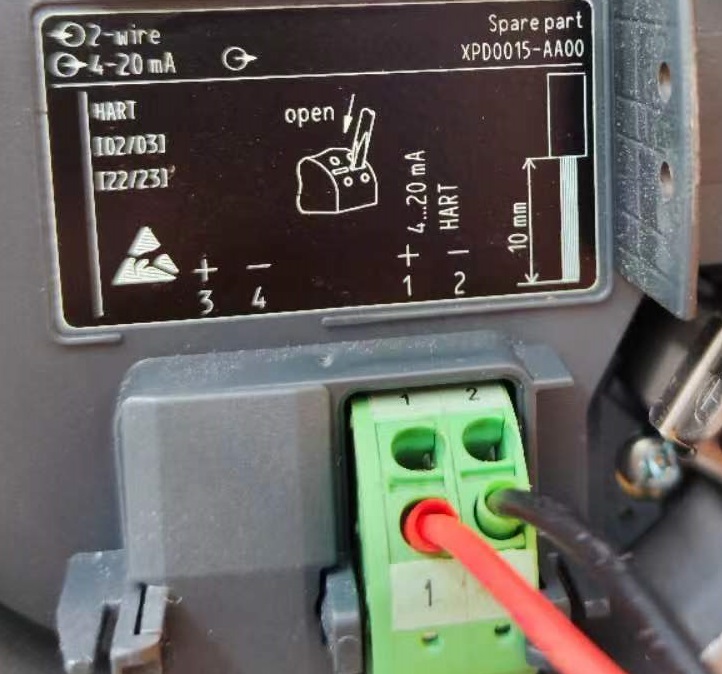
El 8F2B utiliza un método de cableado de dos hilos. Antes de realizar el cableado, consulte obligatoriamente los requisitos de voltaje indicados en la placa de características del instrumento. Un cableado correcto es el primer paso para el funcionamiento normal del instrumento.
- Terminal 1: conectar al polo positivo de la alimentación
- Terminal 2: conectar al polo negativo de la alimentación
El diagrama de cableado específico es el siguiente:
2. Selección de idioma
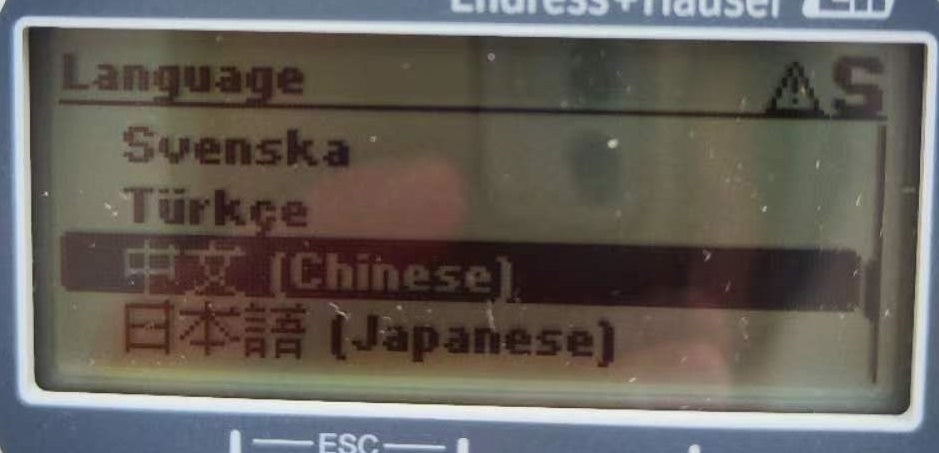
Después de encender, presione la tecla E para entrar al menú. En el menú Language, el usuario puede seleccionar el idioma de la interfaz según sea necesario, lo que facilita las operaciones posteriores.
3. Configuración del medio y las unidades
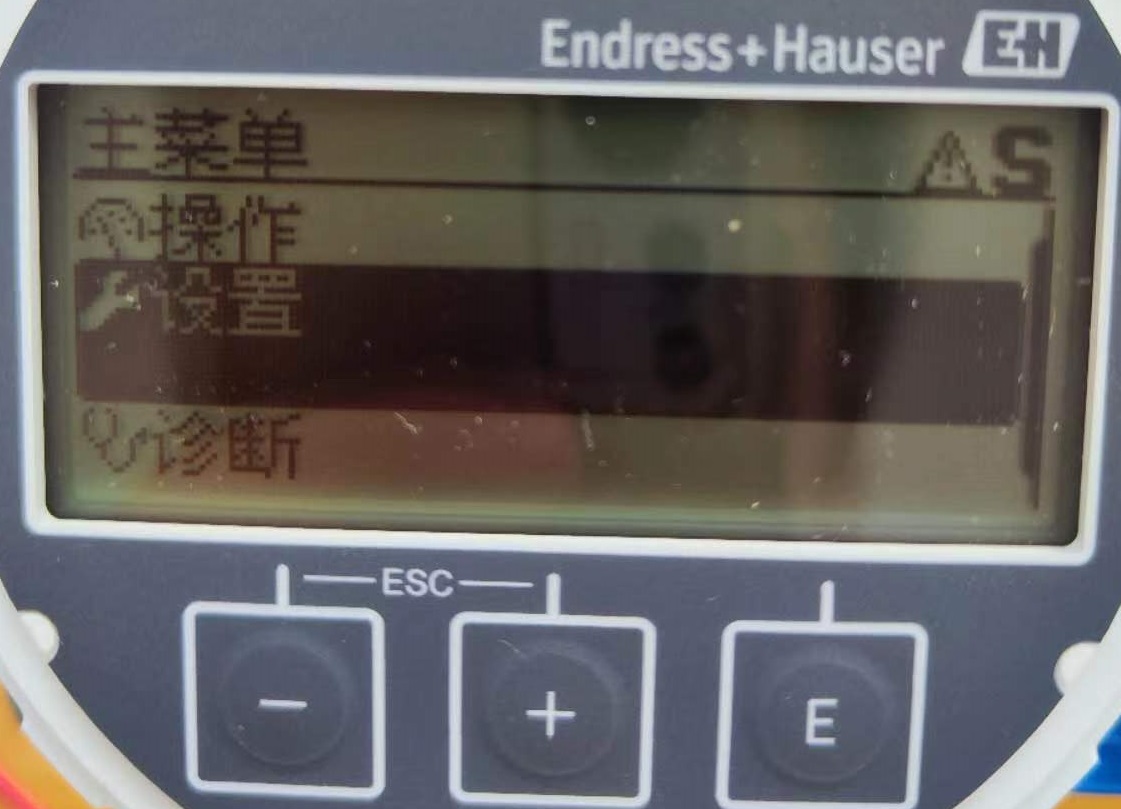
En el menú de configuración, el usuario puede modificar el tipo de medio de flujo y configurar las unidades del sistema. Estas configuraciones afectan directamente la visualización y la salida de los resultados de medición.
- Tipo de medio: gas o líquido
- Unidades del sistema: unidad de caudal másico, unidad de masa, unidad de caudal volumétrico, unidad de volumen, unidad de caudal acumulado
La interfaz de configuración se muestra a continuación:
4. Configuración de la salida de corriente
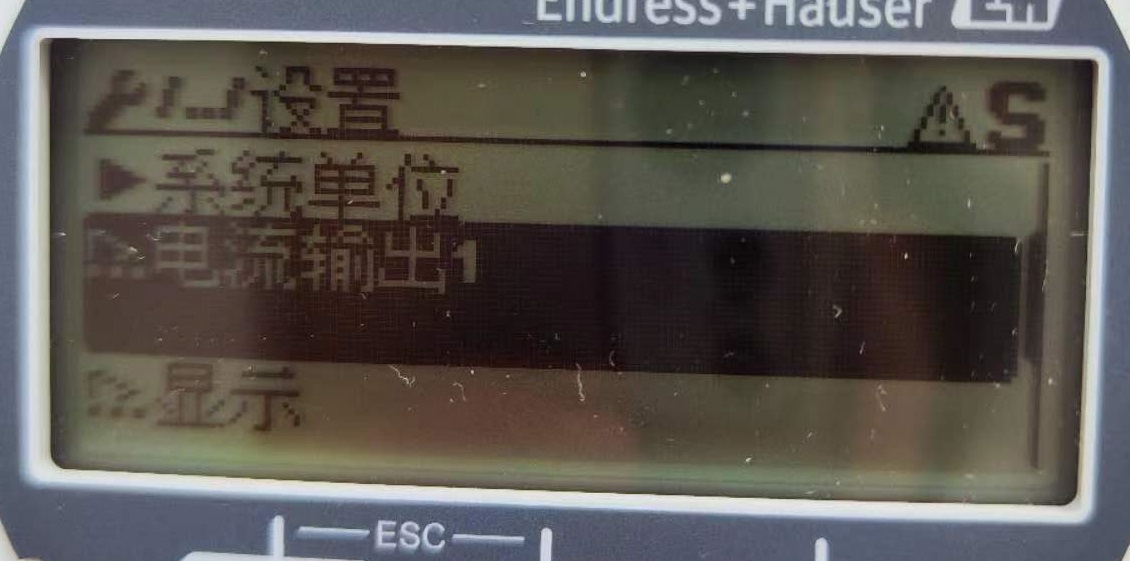
La salida de corriente del 8F2B es por defecto de 4-20 mA. Después de presionar la tecla E para entrar, se pueden configurar por separado los valores de caudal correspondientes a 4 mA y 20 mA, logrando así una correspondencia lineal entre la señal de corriente y el valor de caudal.
La interfaz de configuración de la salida de corriente es la siguiente:
5. Configuración de pantalla
En la configuración de pantalla, el usuario puede seleccionar varios valores de visualización, y cada valor mostrado puede corresponder a una unidad de caudal diferente. Por ejemplo:
- Pantalla 1: caudal másico
- Pantalla 2: caudal volumétrico
- Pantalla 3: caudal acumulado
De esta manera, se pueden monitorear simultáneamente múltiples datos de caudal en la misma pantalla, mejorando la eficiencia operativa.